All-in-One IP Subnet Calculator, Converter & Network Tools
Perform IPv4 subnetting, FLSM, VLSM, route summarization, supernetting and IP conversion, along with IPv6 subnet calculations and analysis, instantly with a powerful all-in-one network calculator.
Subnet Calculator
Subnet Details
| Network Address | — |
|---|---|
| First Usable IP | — |
| Last Usable IP | — |
| Broadcast Address | — |
| Total Usable Hosts | — |
| Total Available Host | — |
| Subnet Mask | — |
| Wildcard Mask | — |
| Binary Subnet Mask | — |
| IP Type | — |
FLSM Calculator — Fixed Length Subnet Mask Calculator
Fixed Length Subnetting
| Subnet Name | Network | First Usable IP | Last Usable IP | Broadcast | Total Usable Host | Total Available Host | Netmask | Wildcard |
|---|
Free/Unused IP Network
| Subnet Name | Network | First Usable IP | Last Usable IP | Broadcast | Total Usable Host | Total Available Host | Netmask | Wildcard |
|---|
VLSM Calculator — Variable Length Subnet Mask Calculator
Variable Length Subnetting
| Subnet Name | Network | First Usable IP | Last Usable IP | Broadcast | Total Usable Host | Total Available Host | Netmask | Wildcard |
|---|
Free/Unused IP Network
| Subnet Name | Network | First Usable IP | Last Usable IP | Broadcast | Total Usable Host | Total Available Host | Netmask | Wildcard |
|---|
Route Summarization Calculator - Supernetting Calculator
Route Summarization
192.168.2.0/24
192.168.3.0/24
192.168.4.0/24
Route Summarization Results
Summary Network Details
| Summary Network | First Usable IP | Last Usable IP | Broadcast | Total Usable Host | Total Available Host | Netmask | Wildcard |
|---|
Individual Networks
| Network | First Usable IP | Last Usable IP | Broadcast | Total Usable Host | Total Available Host | Netmask | Wildcard |
|---|
IPv6 Calculator
IPv6 Details
| Network Address | — |
|---|---|
| Full IPv6 Address | — |
| Compressed Address | — |
| Network Prefix (Hex) | — |
| Host Portion (Interface ID) | — |
| First Address | — |
| Last Address | — |
| Total Addresses | — |
| Address Type | — |
| Scope | — |
| Number of /64 Networks | — |
How to Use the Subnet Calculator
Perform IPv4 subnetting, FLSM, VLSM, route summarization, supernetting and IP conversion, along with IPv6 subnet calculations and analysis, instantly with a powerful all-in-one network calculator.
- Enter a valid IPv4 address in the IP Address field (e.g.
192.168.1.10). - Enter the Subnet Mask manually (e.g.
255.255.255.0) — the CIDR slider updates automatically. - Alternatively, drag the CIDR slider to select a prefix length from /0 to /32 — the subnet mask updates automatically.
- Results appear instantly: Network Address, Broadcast, First/Last Usable IP, Wildcard Mask, and IP Type.
How to Use the FLSM Calculator
- Enter a valid IPv4 address and subnet mask (or use the CIDR slider) to define your base network.
- Enter the Number of Subnets you need — all subnets will be equal in size.
- Optionally enter Hosts per Subnet. If you leave "No. of Subnets" blank, the calculator will automatically generate all possible subnets across your base network that fit the host size.
- Click Calculate to generate the subnets with network, broadcast, and host range details.
- Any remaining unused address space (if you entered a static No. of Subnets) is shown in the Free/Unused IP Network table.
How to Use the VLSM Calculator
- Enter your base network IP address and subnet mask (or use the CIDR slider).
- In the Hosts per Subnet field, enter a comma-separated list of host requirements for each subnet — e.g.
100,50,20,10. - The No. of Subnets field auto-fills based on the number of values you enter.
- Click Calculate — subnets are allocated largest-first for optimal space efficiency.
- Review allocated subnets and any remaining free blocks in the results tables.
How to Use the Route Summarization Calculator
- Enter at least 2 networks in CIDR format, one per line (e.g.
192.168.1.0/24). - Networks must be contiguous — they must form a consecutive address range.
- Click Calculate to find the single summary route that covers all entered networks.
- The Summary Network Details shows the supernet prefix and its address space.
- The Individual Networks table confirms each input network's details.
How to Use the IPv6 Calculator
- Enter a valid IPv6 address in any standard format — compressed (e.g.
2001:db8::1) or full (e.g.2001:0db8:0000:0000:0000:0000:0000:0001). - Set the Prefix Length using the slider (0–128) or type the value directly in the box.
- Results appear instantly showing the full expanded address, compressed form, network address, and host portion.
- Review the Address Type and Scope to understand the address classification (Unicast, Link-Local, Multicast, etc.).
- The Number of /64 Networks shows how many /64 subnets fit within your prefix.
Network Calculators and Converters
Explore our suite of dedicated networking tools designed to simplify complex IP calculations, network design, and routing architecture.
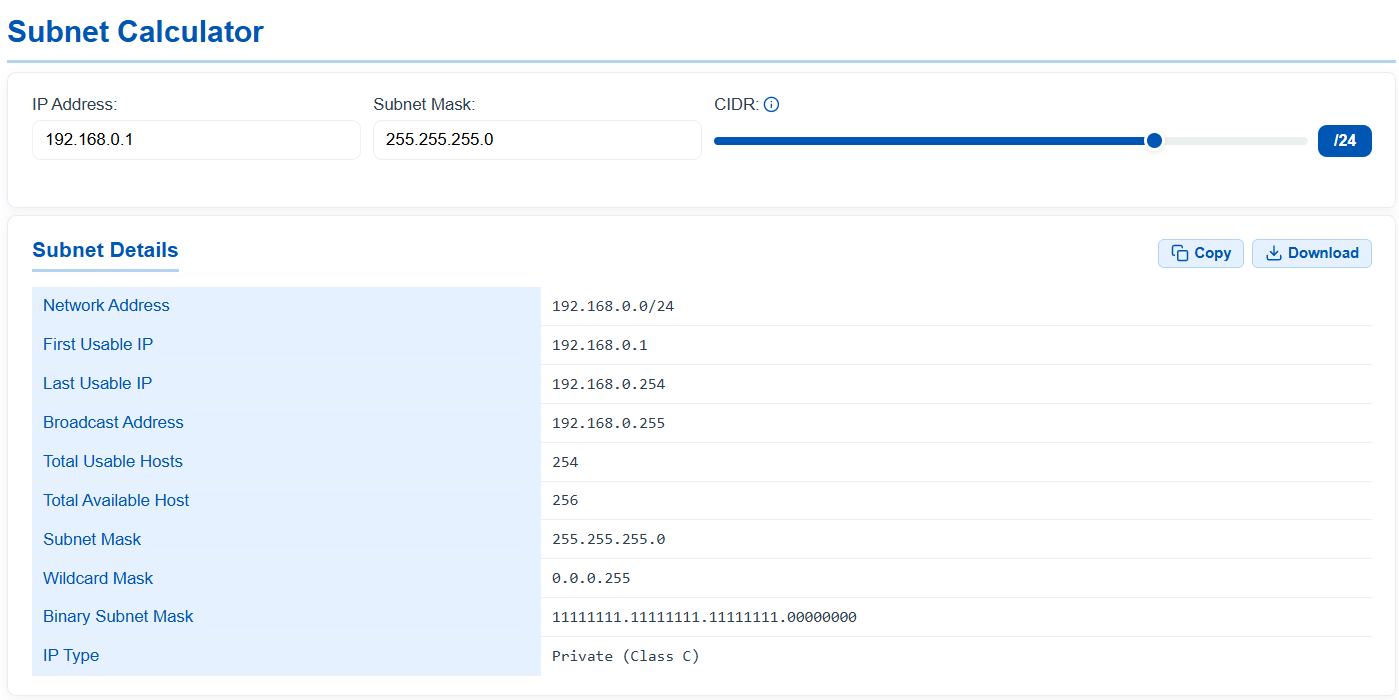
Subnet Calculator
Instantly determines your network address, broadcast address, and usable IP range. Enter your IP and subnet mask or adjust the CIDR slider to generate real-time network details.
Open Calculator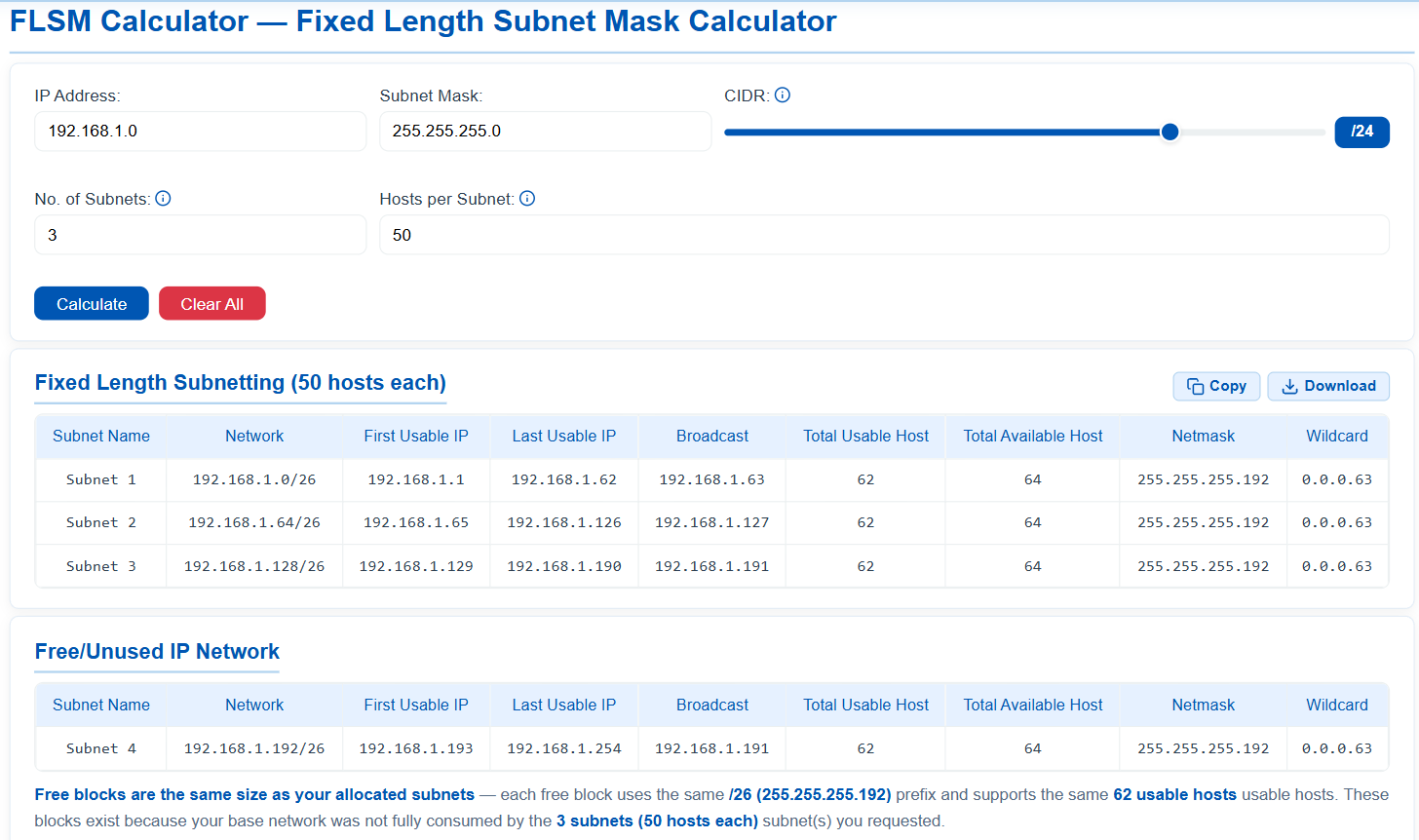
FLSM Calculator
Divides your base IPv4 network into identical, equal-sized subnets. Specify the number of subnets or hosts per subnet to generate an evenly distributed IP allocation plan.
Open Calculator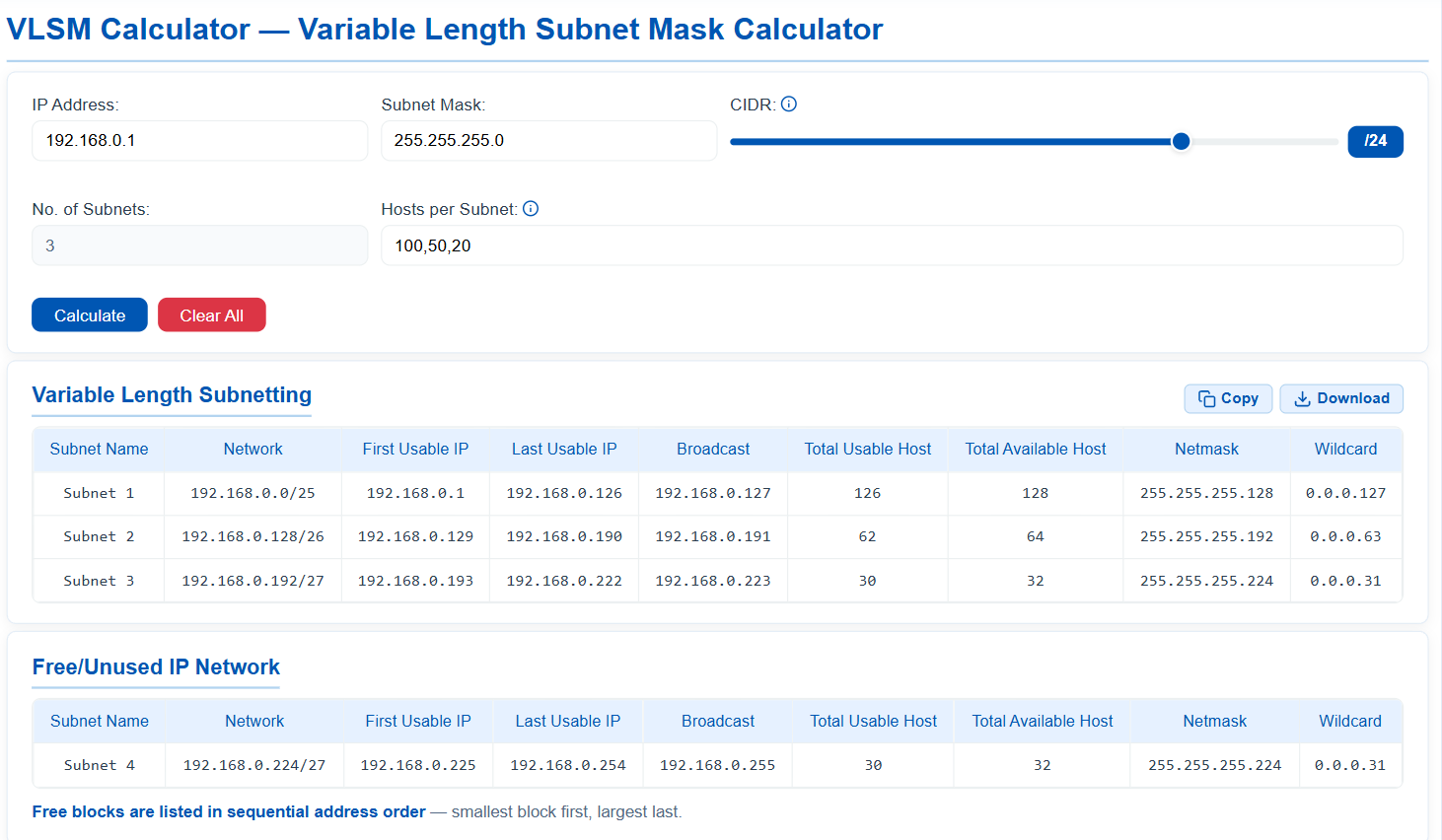
VLSM Calculator
Optimizes IP address allocation by breaking your base network into variable-sized subnets. Enter comma-separated host counts and the tool auto-calculates the most efficient distribution.
Open Calculator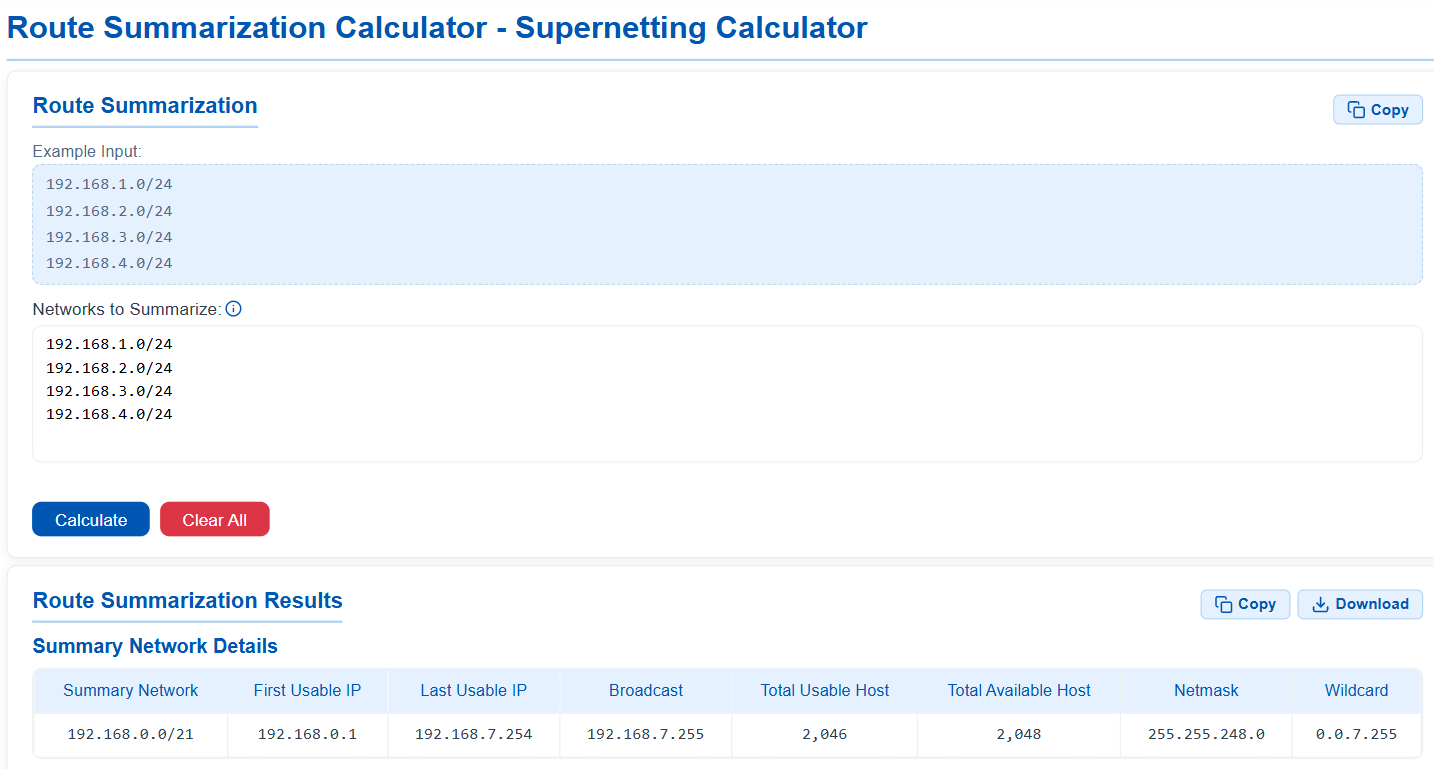
Route Summarization Calculator
Mathematically combines multiple contiguous subnets into a single optimized supernet. Enter your network blocks in CIDR format to generate the most efficient summary route.
Open Calculator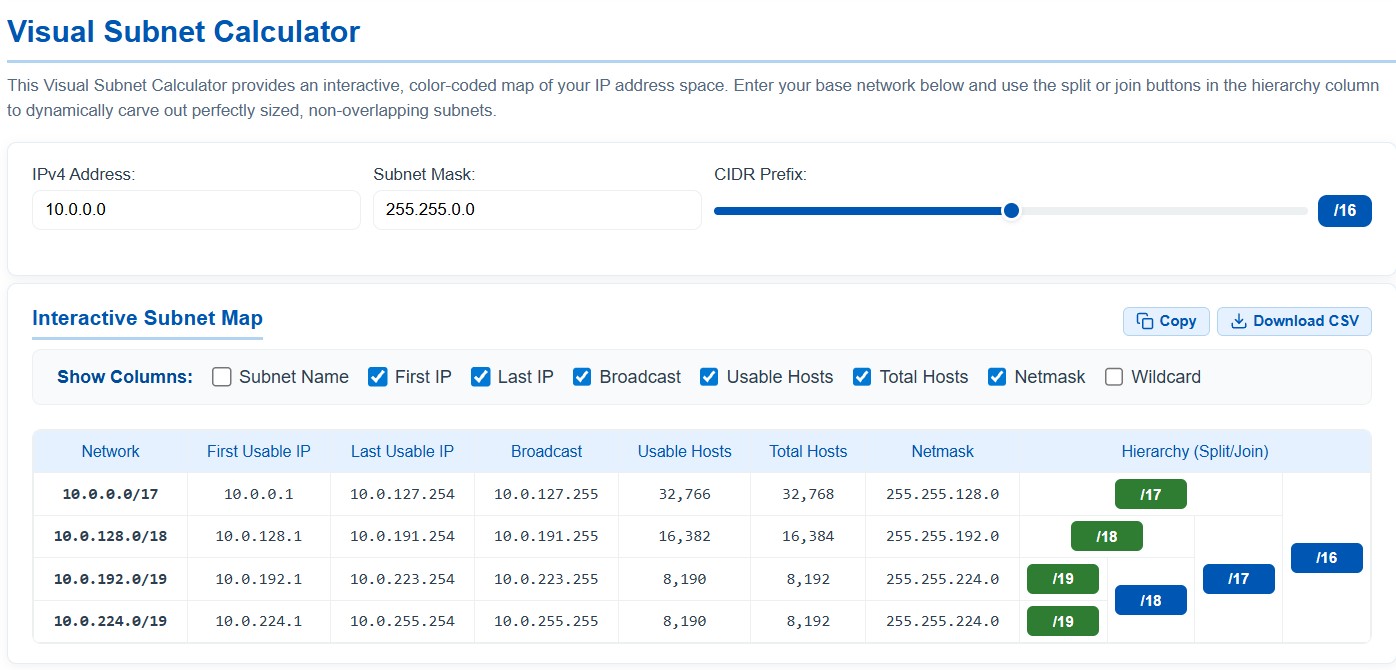
Visual Subnet Calculator
Provides an interactive, color-coded map of your IP address space. Use the hierarchy column to dynamically split or join perfectly sized, non-overlapping subnets.
Open Calculator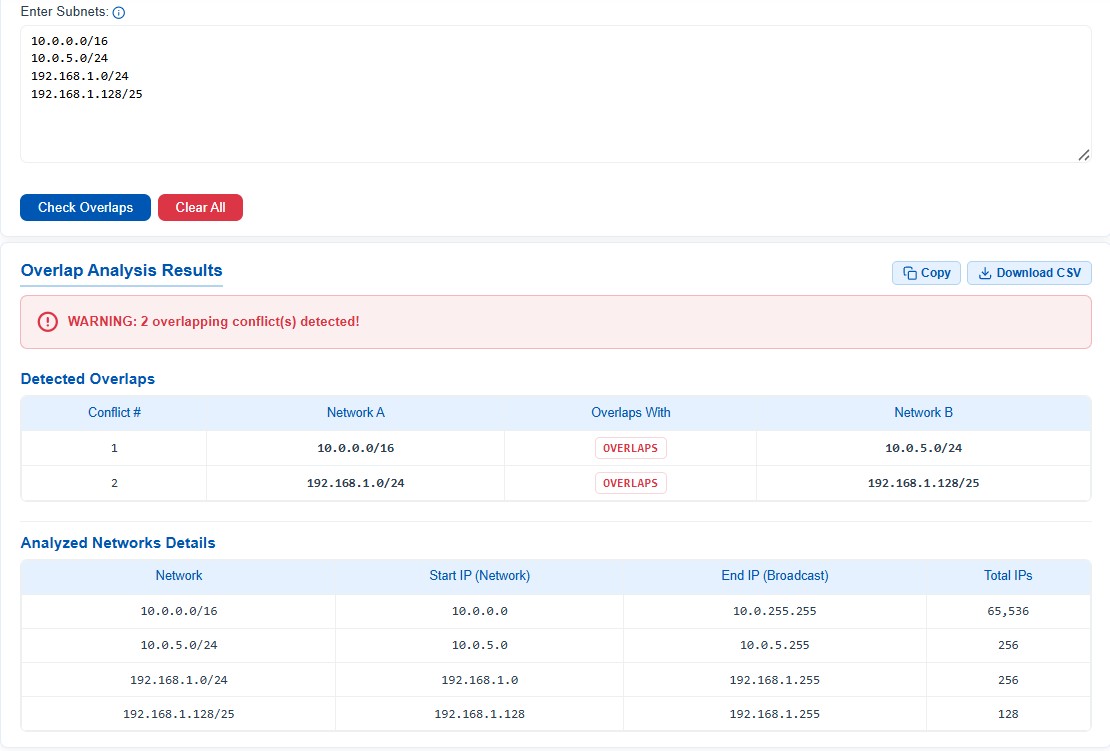
Subnet Overlap Checker
Instantly identifies IP address conflicts across multiple networks. Paste your IPv4 subnets in CIDR notation to detect any overlapping routing paths before deployment.
Open Calculator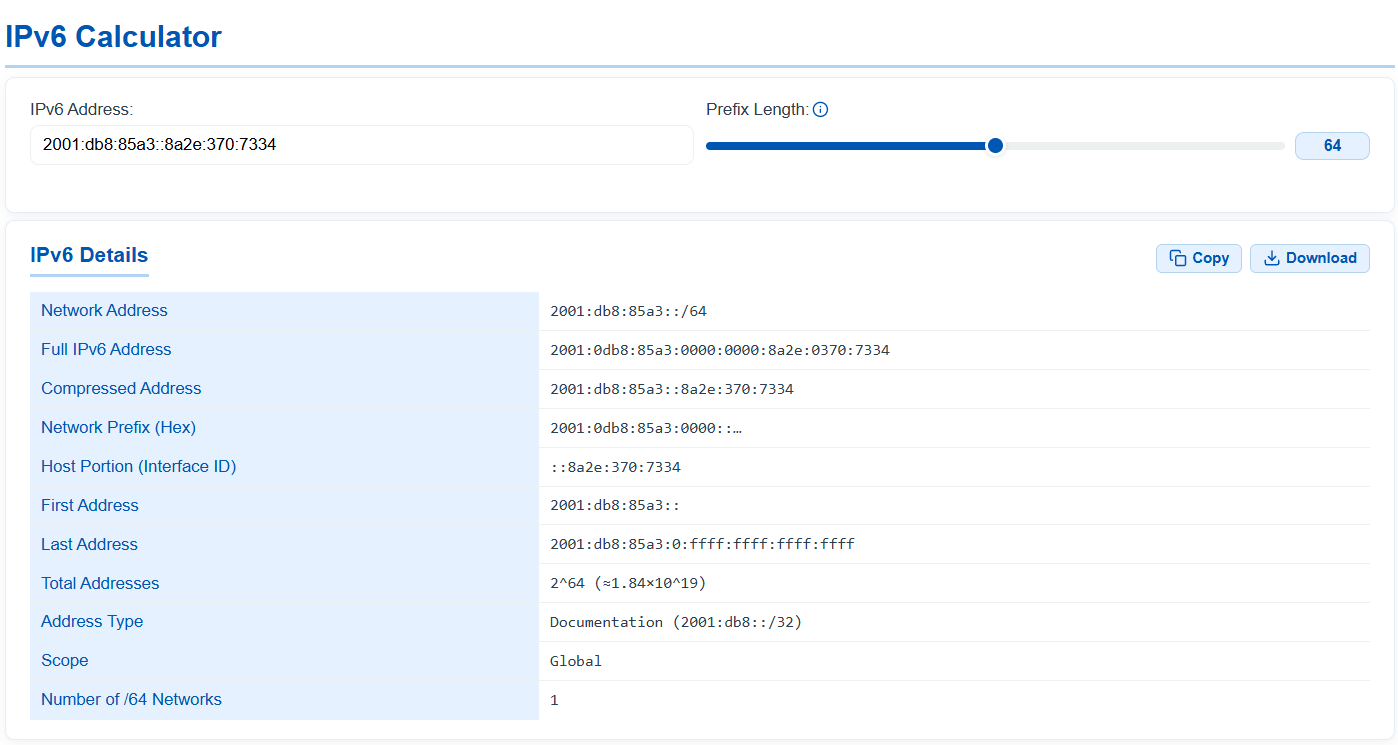
IPv6 Calculator
Simplifies working with 128-bit IP addresses. Adjust the prefix length to expand or compress the address, separate network and host portions, and identify the exact address type and routing scope.
Open Calculator